
Step 1
Describe the portrait style
Write the look you want: red carpet editorial, cinematic neon portrait, old Hollywood studio photo, luxury headshot, or another polished photo direction.
Turn portraits into red-carpet editorials, cinematic stills, polished headshots, and refined celebrity-style looks with one GPT Image 2 workflow.
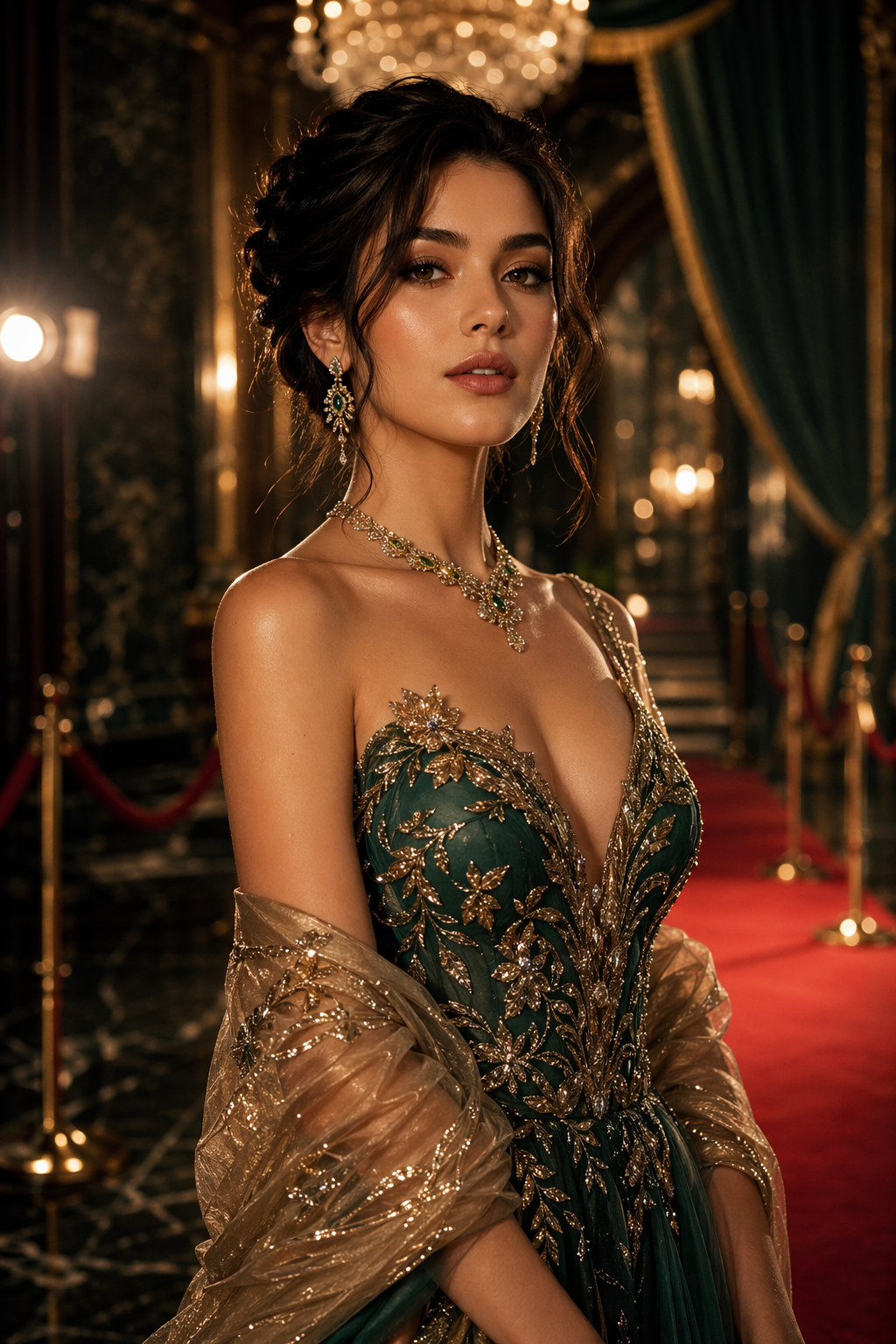
Sample result
Red carpet portrait
Reference
Optional
Popular portrait looks
GPT Image 2 works best here when the page feels like a photo studio, not a keyword dump. Pick a recognizable portrait direction, add a reference image if likeness matters, and let the model handle the restyle.
Use GPT Image 2 for AI photo style transfer, portrait generation, celebrity-style photos, red-carpet editorials, cinematic portraits, luxury headshots, and reference-guided image-to-image edits.
GPT Image 2 is built for people-first photo transformations. Start from text for a new portrait concept, or upload one reference image when you want the same person restyled with stronger lighting, wardrobe, setting, and editorial polish.
Write the portrait style you want, optionally upload one reference photo, and generate a people-centered GPT Image 2 result without leaving the top composer.
Step 1
Write the look you want: red carpet editorial, cinematic neon portrait, old Hollywood studio photo, luxury headshot, or another polished photo direction.
Step 2
Upload one clear portrait when you want GPT Image 2 to keep the person, pose, expression, or styling closer to the source image.
Step 3
Review the result, download the best version, or adjust the prompt with more specific lighting, wardrobe, background, and aspect-ratio direction.
Use GPT Image 2 as an AI photo style transfer tool for people-first images. Write a prompt from scratch or upload one reference photo, then create red-carpet portraits, cinematic movie-still looks, old Hollywood editorials, polished headshots, and other refined celebrity-style photos without switching tools.
These are the most practical starting points when someone opens a GPT Image 2 portrait generator and wants a result that feels useful immediately.
A strong all-purpose look for profile photos, launch images, creator branding, and fashion-forward portraits with a celebrity-style finish.
Useful when you want a portrait to feel like a film still: directional lighting, atmosphere, richer color, and more dramatic composition.
Best for timeless black-and-white portraits, soft glamour lighting, pearl-and-satin styling, and classic magazine elegance.
A practical option for founders, creators, and personal-brand pages that need a polished portrait without a studio shoot.
Use stronger wardrobe cues, lens language, and set direction when you want an image that looks closer to a campaign spread.
Upload a source image when face, pose, hairstyle, or wardrobe continuity matters, then let the prompt control the new style.
Each example shows a people-centered GPT Image 2 use case with a clear visual promise, so visitors can understand the result before they start prompting.
Use this direction when you want a refined celebrity-style portrait with elegant wardrobe, premium event lighting, and a more aspirational finish.
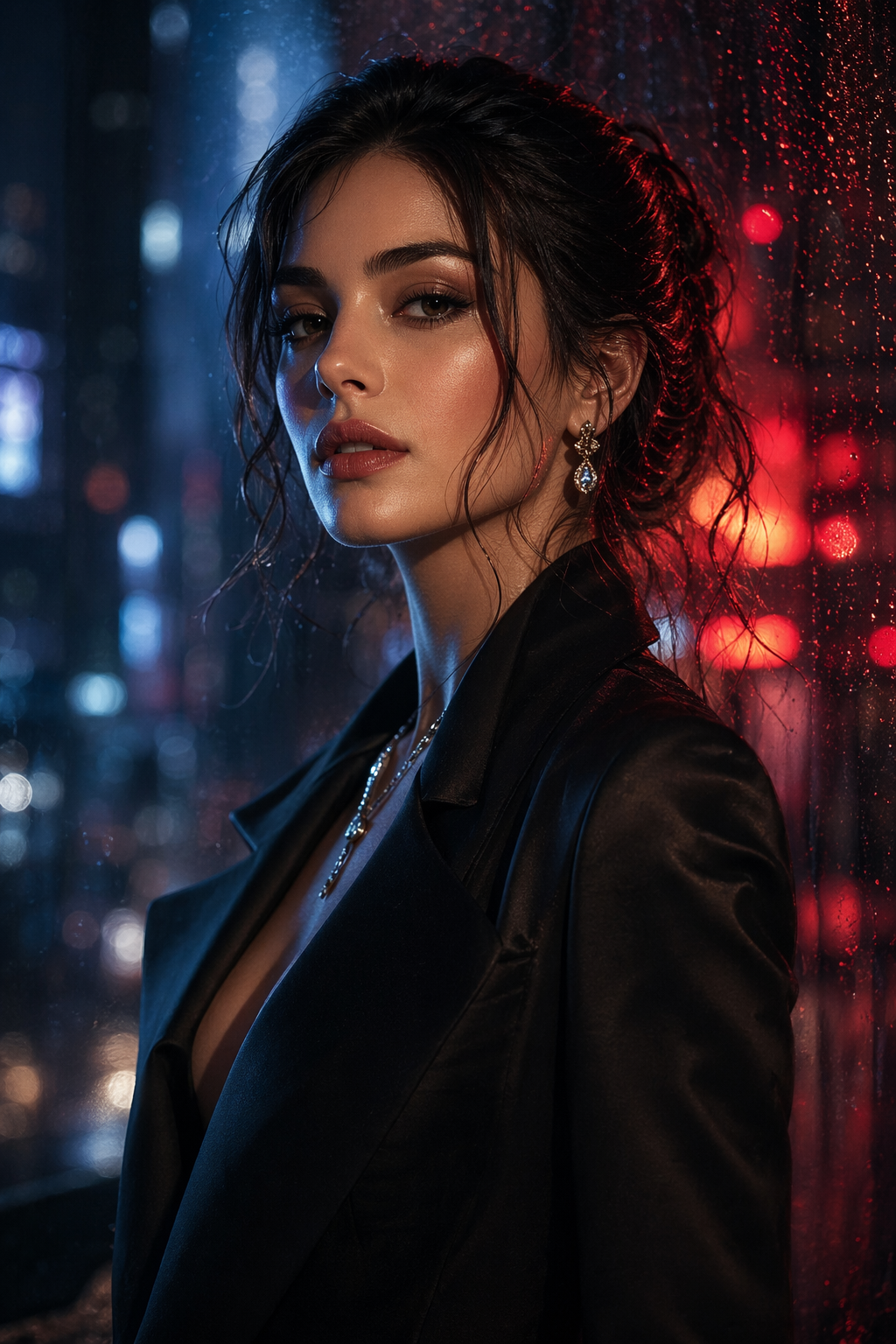
A good prompt lane for dramatic profile photos, music visuals, social avatars, and moody campaign imagery with stronger color contrast.
GPT Image 2 responds best when the prompt describes a real photo direction instead of a stack of vague quality words.
Say whether you need a profile image, campaign portrait, founder headshot, fashion editorial, or cinematic avatar. The use case sets the composition.
Use phrases such as red carpet editorial, old Hollywood studio portrait, cinematic neon rain, luxury headshot, or fashion magazine cover.
Small details like soft key light, satin dress, black tuxedo, city window, gold-hour penthouse, or shallow depth of field make the result feel intentional.
Text-only is best for fresh ideas. Image-to-image is better when you want to keep the same person, pose, or expression while changing the styling.
Direct answers to the most common questions around GPT Image 2 AI image generator.
Create a red-carpet portrait, cinematic photo restyle, old Hollywood studio look, or luxury headshot with GPT Image 2.
Upload one reference photo when likeness, pose, expression, or wardrobe continuity matters.
Move between red carpet, cinematic neon, old Hollywood, luxury headshot, and fashion editorial looks.
Use text-only for a fresh portrait concept, or add one image for a controlled photo restyle.
For creators, profile images, and launch visuals that need a more aspirational celebrity-style finish.
Rain, neon, night streets, dramatic lens contrast, and more atmospheric lighting for portraits that feel like a scene.
Black-and-white glamour, soft key light, satin texture, pearl detail, and timeless magazine polish.
Useful when a source photo needs warmer light, better styling, a sharper setting, or a more premium business portrait.
Portrait style
Red carpet editorial
Portrait style
Cinematic neon
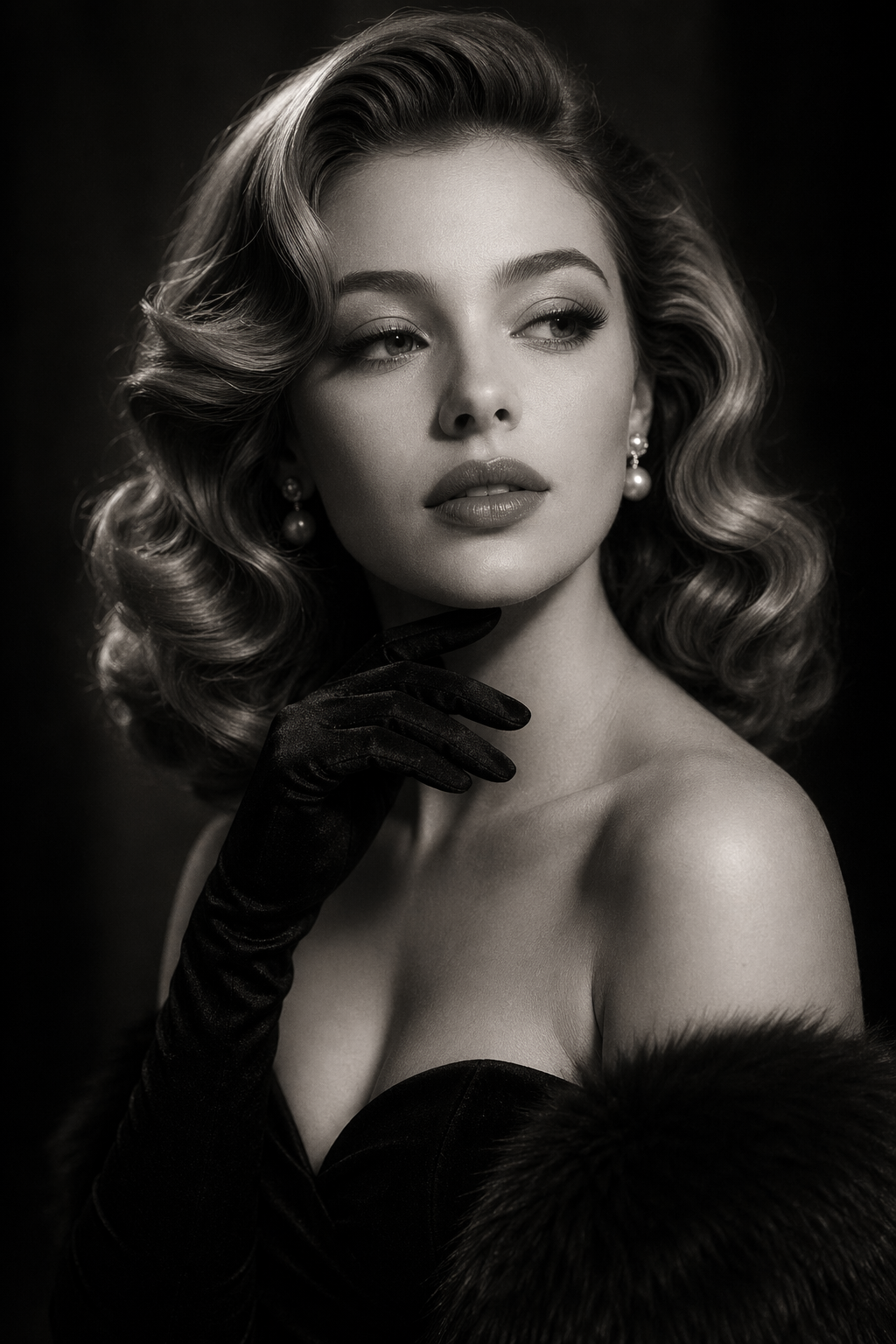
Portrait style
Old Hollywood
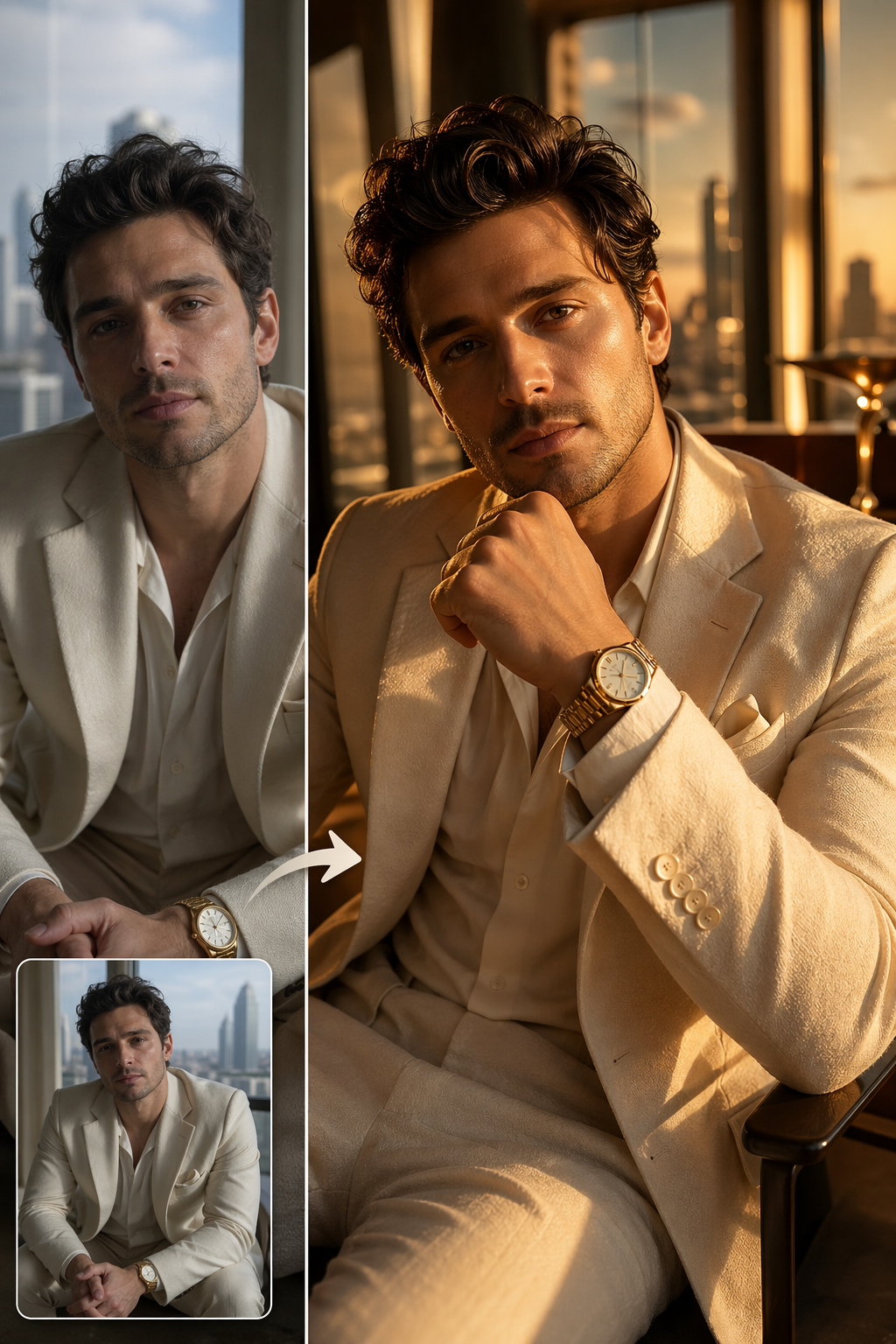
Portrait style
Luxury headshot
Use this for graceful, timeless portraits that need beauty lighting, classic glamour, and a premium editorial mood without modern visual clutter.
Upload a person photo when likeness control matters, then ask for warmer light, sharper wardrobe, a richer location, or a more executive portrait style.