
Step 1
Upload your image
Start with one JPG, PNG, or WEBP photo that contains the watermark, logo, sticker, or timestamp you want to clear.


Sample result
Hero before and after
Drop a photo
Or click the button below. One image only, up to 10 MB.

AI Watermark Remover — Upload a photo and remove watermarks, logos, stickers, and timestamps with AI cleanup that keeps texture, edges, and lighting intact.
AI Watermark Remover is built as a practical upload-and-clean workflow, so users can remove visible marks quickly without writing prompts or manually masking the image first.
Start with one portrait, let the atmosphere settle in, and keep the version that feels most like your own quiet mythology.
Step 1
Start with one JPG, PNG, or WEBP photo that contains the watermark, logo, sticker, or timestamp you want to clear.
Step 2
The tool removes the visible mark and rebuilds the covered area so the background stays coherent instead of turning into blur.
Step 3
Review the cleaned image, keep the best pass, and rerun with another source photo whenever you need another quick cleanup.
Built for utility-first cleanup when you want the mark gone but the image to stay believable.
The prompt is tuned for logos, signatures, timestamp text, and sticker-style overlays, so you can start with a plain upload instead of drawing masks by hand.
The model is instructed to continue surrounding texture, edges, gradients, and lighting rather than filling the gap with blur or muddy pixels.
Cleanup is focused on the obstruction only, so the composition, subject placement, and visible detail stay close to the source image.
Upload a photo, let the cleanup run, and download the clean version without extra prompt tuning or manual selection steps.
Use the same upload flow for brand marks, signature text, sticker overlays, and camera timestamps.

Clear branded badges and corner logos while keeping the background underneath coherent and visually continuous.
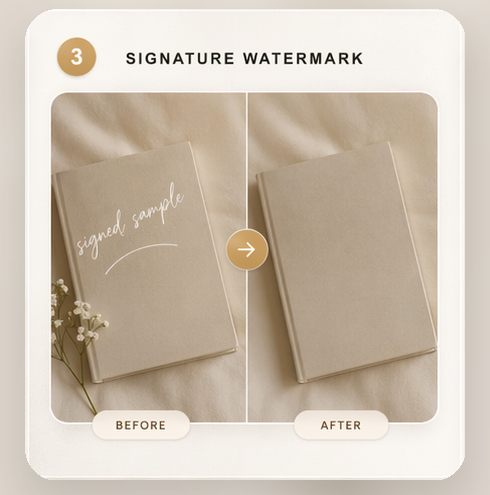
Clean away signature text, proofing marks, or embedded caption overlays without flattening the nearby detail.
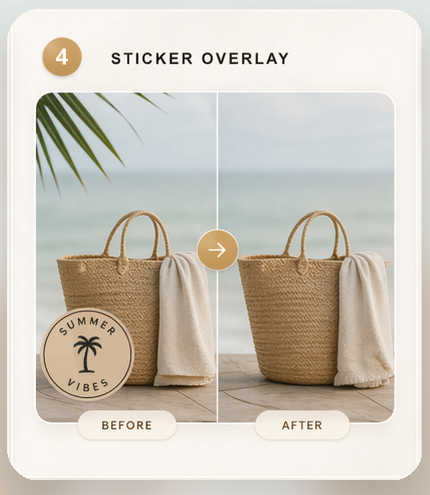
Remove social stickers and decorative overlays so the original portrait or scene reads clearly again.
Useful when you need a clean image fast and do not want to spend time brushing over each obstruction manually.
Remove non-essential labels and corner marks before repurposing an internal draft or layout mockup.
Clean away stray artist-style signatures or proof overlays that were generated into the frame by mistake.
Recover a usable version of a portrait or selfie when the original clean export is no longer available.
Remove device-added timestamps without rebuilding the photo manually in a separate editing tool.
Direct answers to the most common questions around AI Watermark Remover AI photo generator.
Upload one portrait and see how much wonder the image can hold without losing the person at its center.
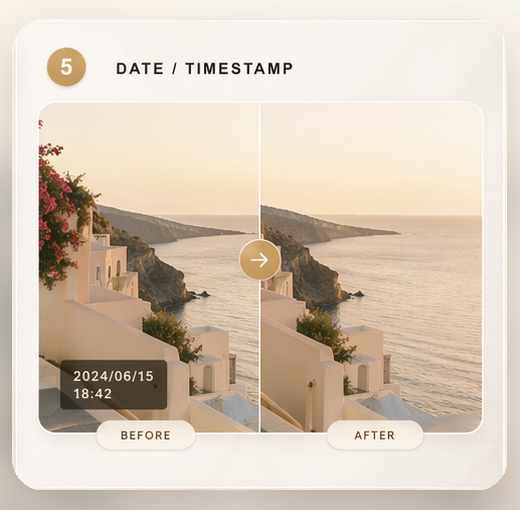
Erase date stamps and shot metadata from the frame while rebuilding the sky, wall, or ground behind them.